How to Upload Images to Website
Some web based email services, for example MSN/Hotmail, Yahoo!Mail etc. display the images within the message and plus attach the images files to the message. Here is how a HTML email that contains the images from a local disk is displayed in Hotmail (note the attached image files at the top):
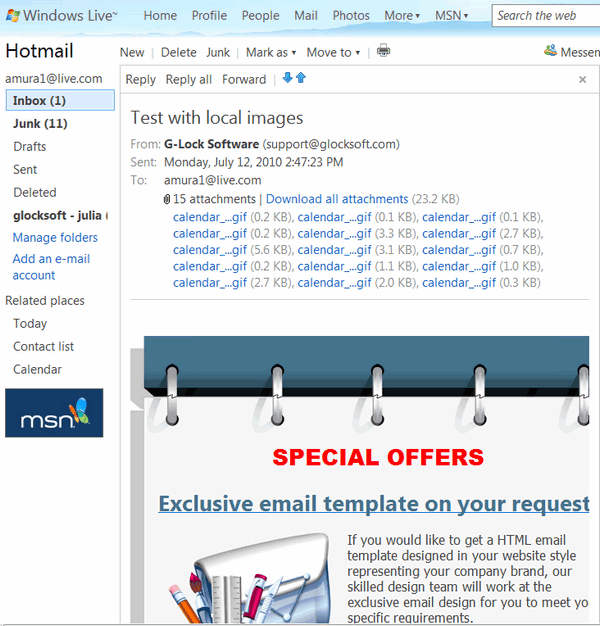
To avoid showing the images as attachments, I recommend that you upload your images to a website. By doing this, you also decrease the size of your email and increase the speed of sending the email. That's what we aim for!
Here is how the same email is displayed in Hotmail after I uploaded the images to my website:
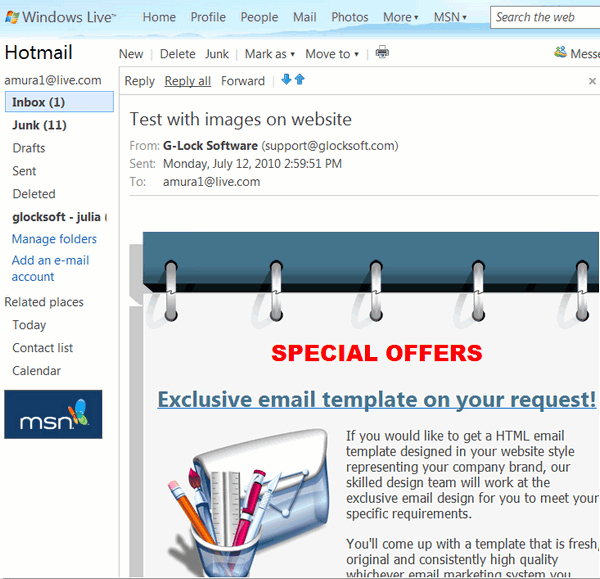
To upload the images to the website, you can use the FlashFXP tool from http://www.flashfxp.com/
FlashFXP has a 30-day trial period so you can use it for free during a month.
Install and start FlashFXP.
On the General tab type the site name you will upload your images to, the site IP address, port number, your user name and password for this site.
Click "Connect".
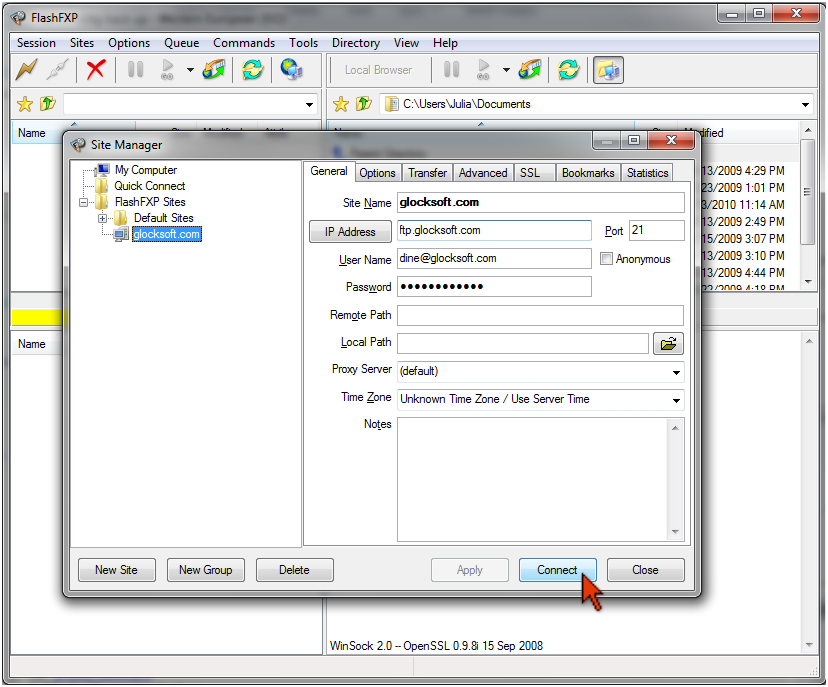
Wait until the connection to the site is established.
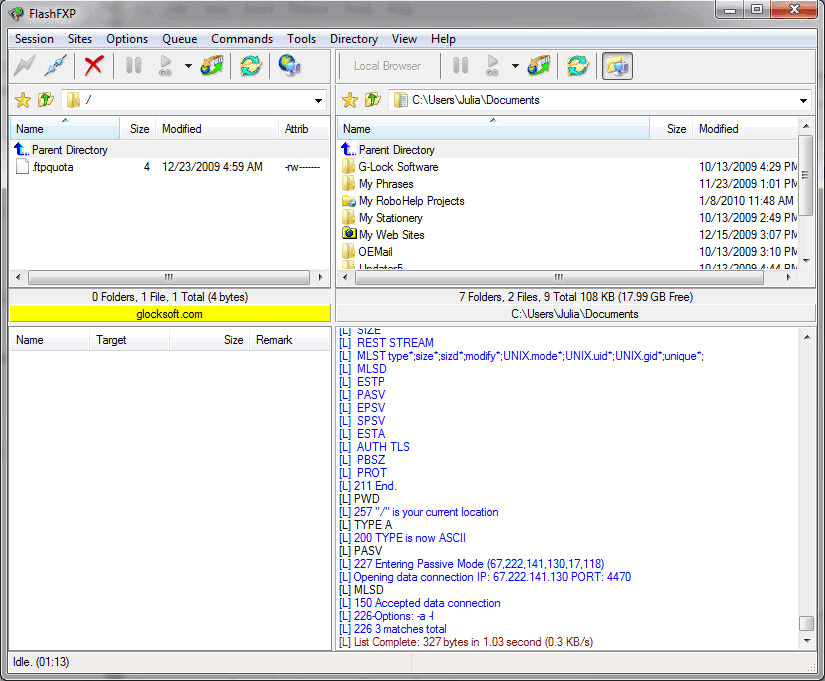
Click an arrow in the "Browse" field and select the folder on the disk where your images are located.
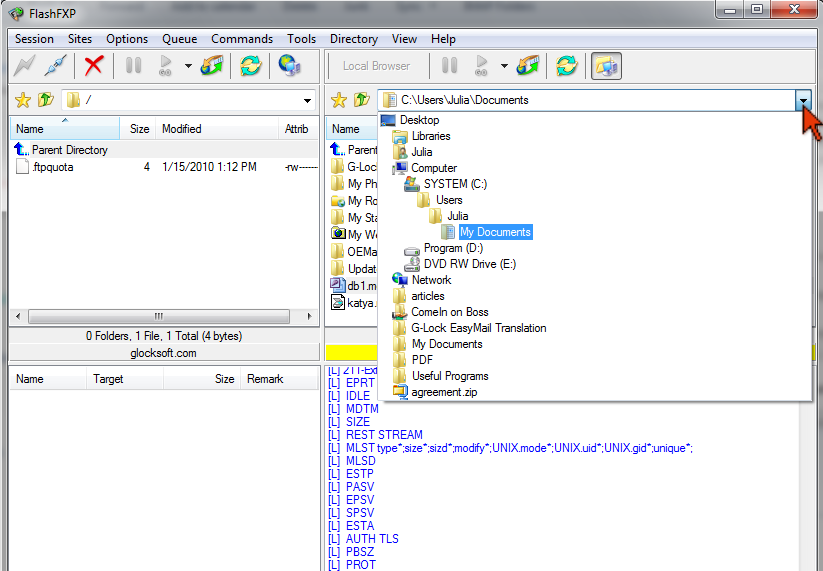
You will see the images files on the screen.
Click the right mouse button on the image file and select "Transfer" from the menu.
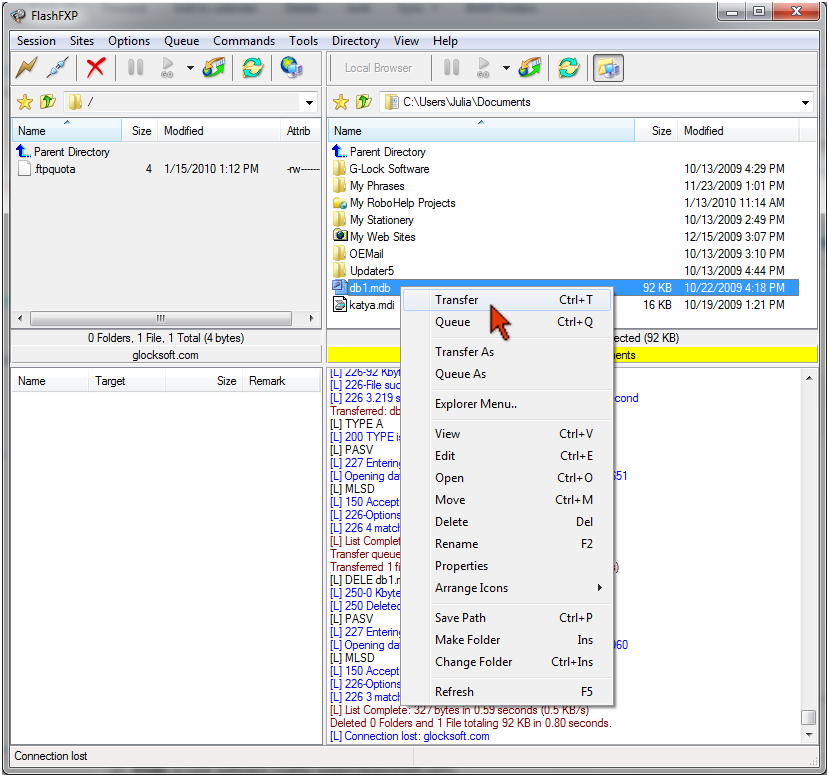
Do this for all the images you use in your template.


 Super Affordable In-house Email Marketing Platform for Windows®Send Emails via Amazon SES and Other SMTPs to contacts in your in-house database without export-import. Better delivery, lower costs, no locking. | |
| Download Now! |
 The quality of their work is perhaps one of the highest in the industry.
They went over and above what we asked of them and were constantly in
touch with us to ensure that every aspect of our project was completed
to perfection and on time. We look forward to working with them again and again.
The quality of their work is perhaps one of the highest in the industry.
They went over and above what we asked of them and were constantly in
touch with us to ensure that every aspect of our project was completed
to perfection and on time. We look forward to working with them again and again.
 | ||
 |
| |







 Loading...